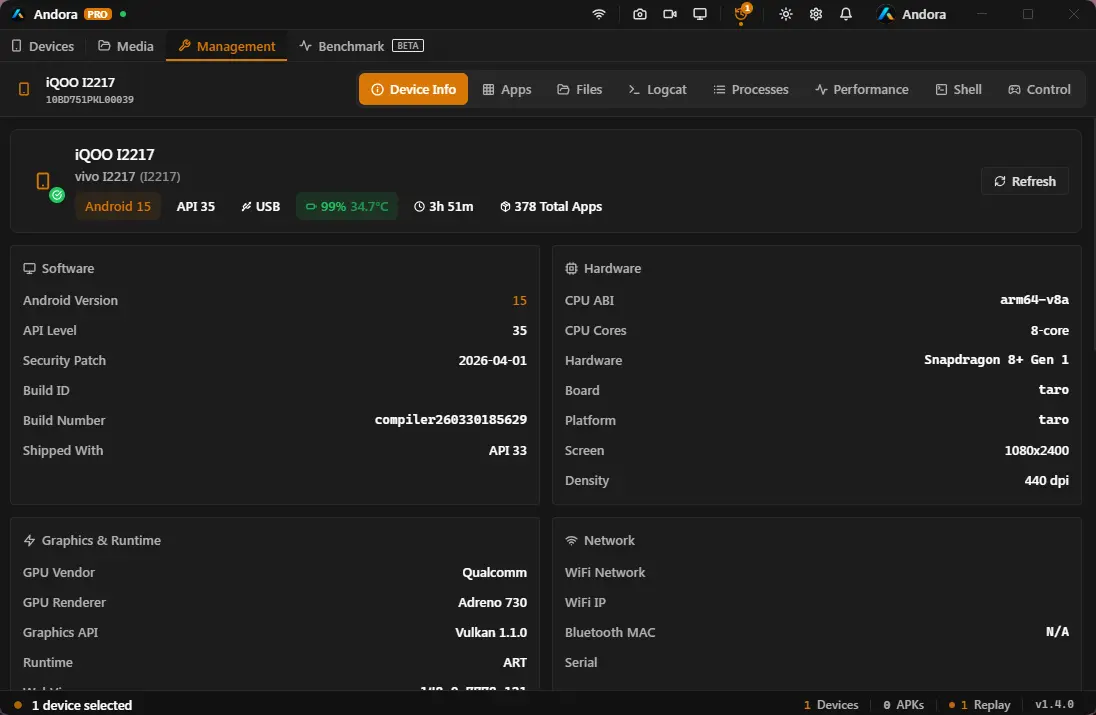
Whether you're a developer, tester, or content creator — Andora has the tools you need, in a single Windows app.
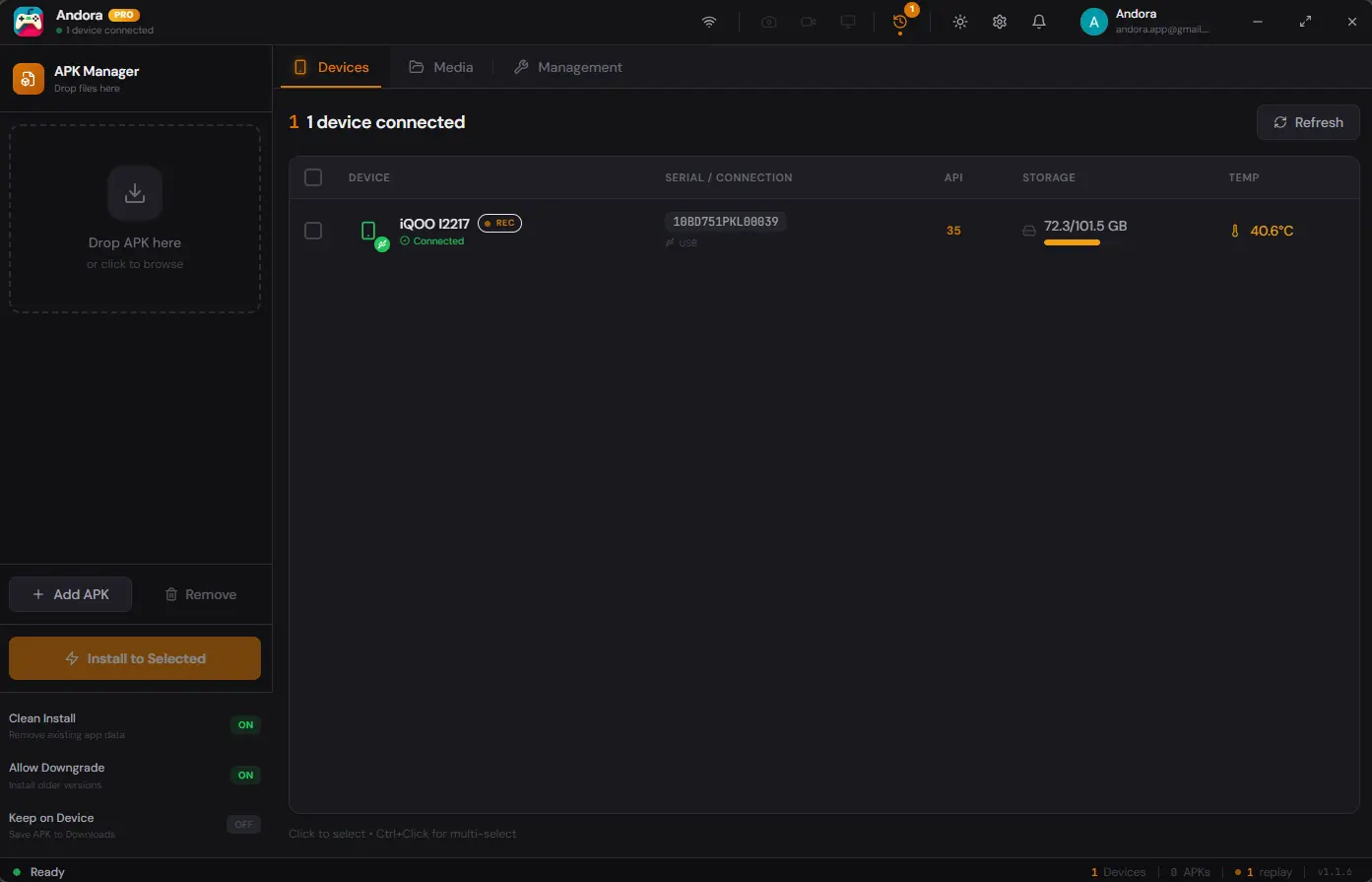
Drag & drop any APK to install.
Single APKs, split APKs (XAPK, APKM, APKS), batch installs across multiple devices. Real-time progress. Signature mismatches and downgrade flags handled automatically.
01 / APK INSTALLATION
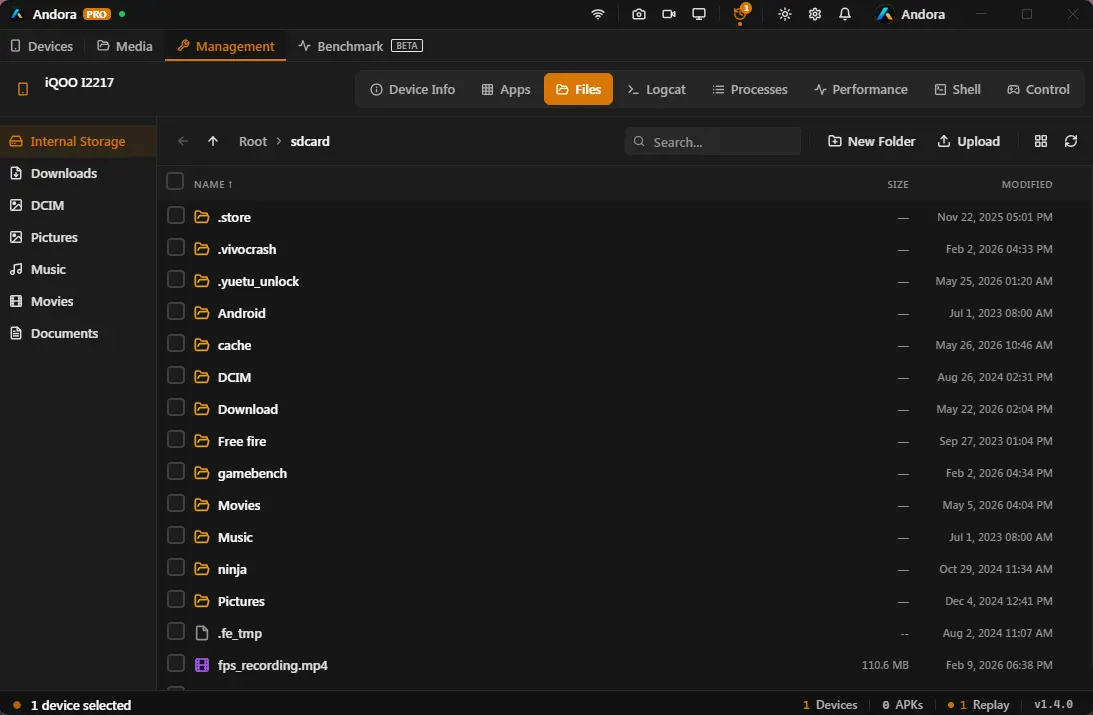
File browser
Navigate the entire device file system. Drag-and-drop transfers in either direction.
02 / FILES
Wireless ADB
Pair once over USB, then connect over WiFi. Remembered for next time.
03 / NETWORK
Screen mirror & record
Low-latency mirroring (Scrcpy) up to 1080p. One-key screen recording, audio included.
04 / MIRRORING
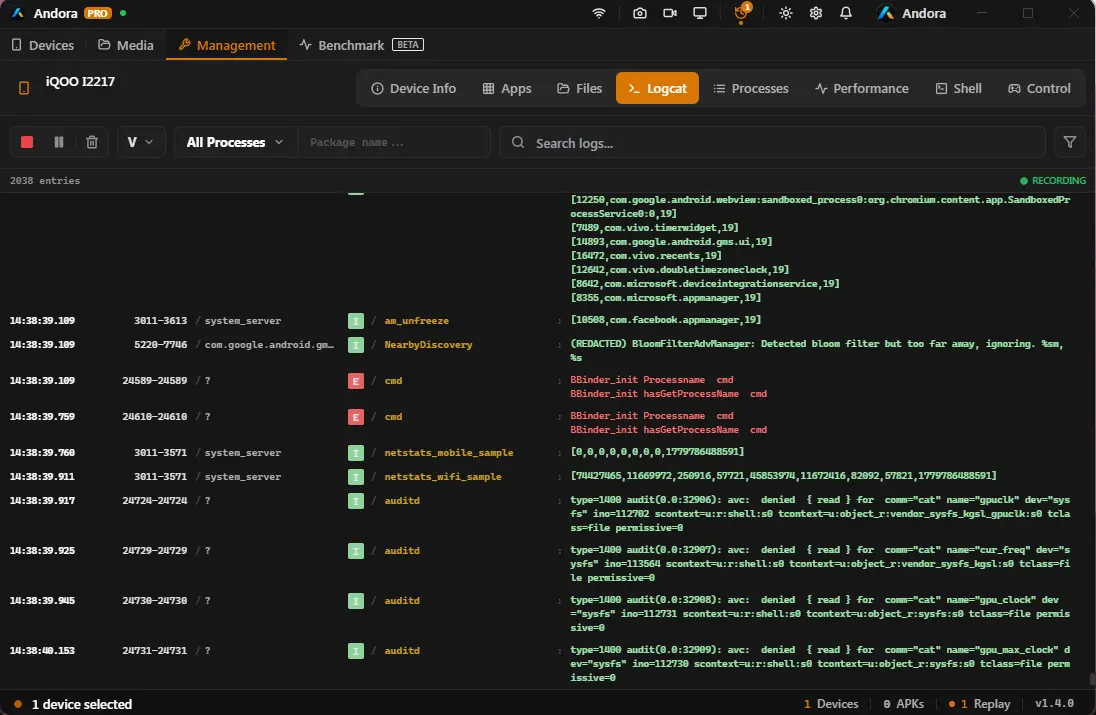
Logcat viewer
Real-time log stream with filtering by tag, level, PID, or regex.
05 / DEBUG
ADB Shell & multi-device
A built-in terminal for shell commands. Manage multiple devices side by side — perfect for parallel testing.
06 / SHELL · 07 / MULTI-DEVICE
Performance & process monitor
Live graphs for CPU, memory, battery — and a top-style view of every process on the device.
08 / MONITOR
Game Benchmark Suite BETA
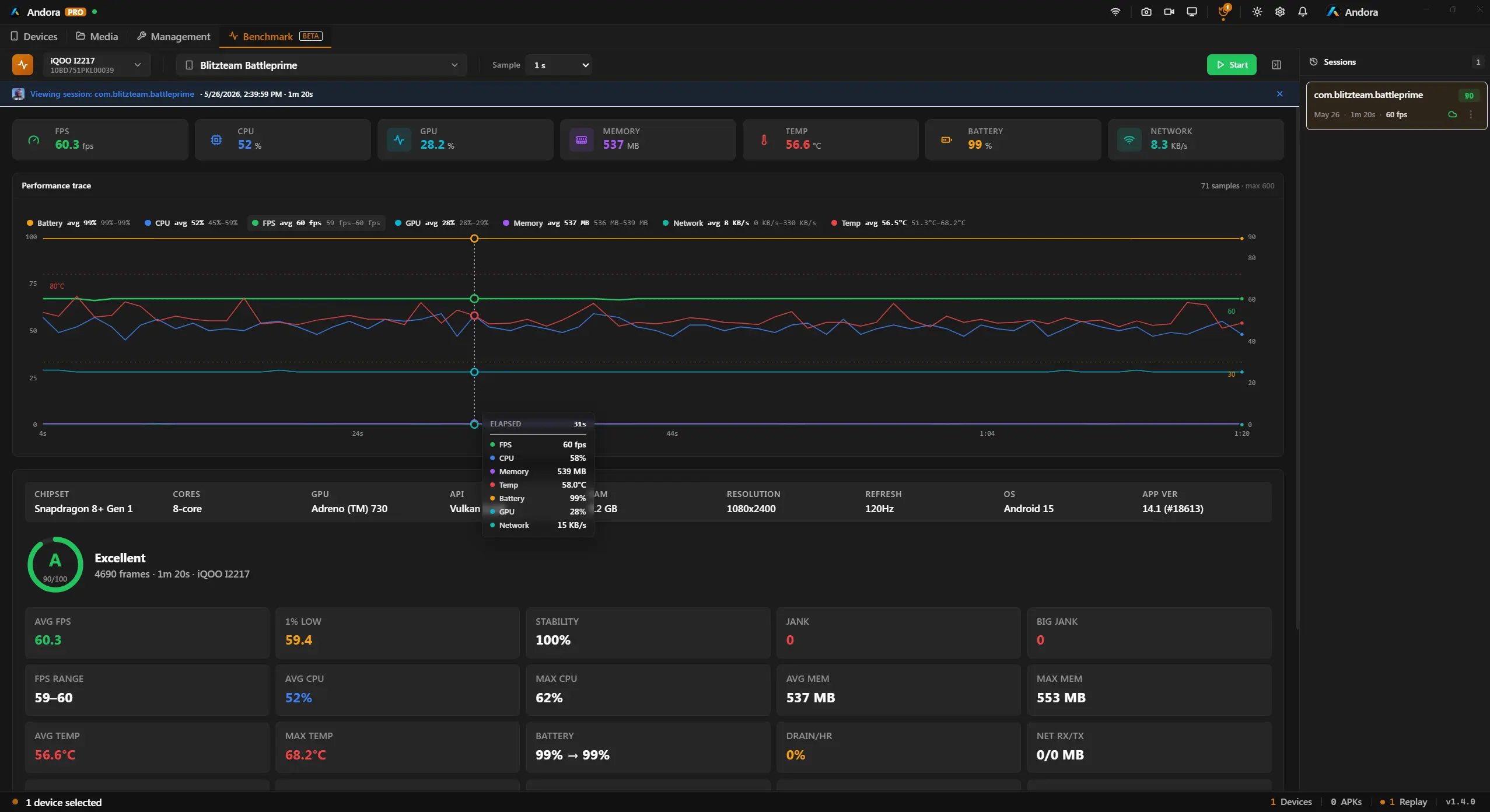
Profile any Android game or app with real-time FPS, CPU, GPU, memory, thermal, battery & network charts. Record sessions, export HTML reports, and compare A-vs-B builds side-by-side — all from your desktop. Cloud sync included.
12 / BENCHMARK
Instant replay
Always-on buffer. Save the last 15 seconds to 5 minutes with a single hotkey.
09 / REPLAY
High-res screenshots
Capture pixel-perfect screenshots straight to PNG. Ideal for store listings and docs.
10 / CAPTURE
Theme & customization
Five accent colors, dark or light mode, dense or comfortable density.
11 / THEME
Remote control & intents
Drive the device from your PC without mirroring — D-pad, system keys, type-to-device, developer quick-toggles, and an intent launcher for URLs and deep links.
13 / CONTROL
App management & debloat
Uninstall, force-stop, clear data, extract APKs, and disable or debloat system apps without root — restore them anytime. Free with a signed-in account.
14 / APPS
Showcase
See it in action.
Three real workflows, no synthetic demos.
01 — Connection
Pair once. Connect forever.
USB pair on first run, then everything happens over WiFi. Andora remembers your devices, RSA keys, and bridge state across reboots.
30–60 ms latency on local network
1-tap pairing on Android 11+
Auto-retry on flaky networks
02 — Files
The file browser ADB never had.
Browse, search, and transfer the entire device file system without typing adb pull ever again. Drag and drop in either direction.
Permissions, sizes, and timestamps surfaced inline
Bulk operations, queueable transfers
Preview images and text without copying
03 — Debug
Logcat without the rage.
Filter by tag, level, PID, or regex. Pin sessions, save filters, and search across long-running streams without dropping frames.
Saved filter sets per project
Export to .log or share a snippet
Inline ADB shell for follow-up commands
04 — Benchmark BETA
Profile your game. Fix the jank.
Select a running app, hit Start, and get live-updating charts for seven performance metrics. Session recordings auto-save so you can compare builds after the fact.
Windows Defender may flag the direct .exe / .rar downloads on first install — Andora bundles ADB and scrcpy (unsigned third-party binaries), so it's a false positive. The Microsoft Store version above is signed and won't be flagged. How to fix it.
Yes. APK installation, screen mirroring (up to 1080p/30fps), screenshots, wireless ADB, file and media browsing, app management, remote control, and process and performance monitoring are completely free, forever. A one-time Pro purchase adds high-quality mirroring (60/120fps, up to 32 Mbps, 1440p/original), screen recording, Instant Replay, the Logcat viewer, ADB shell, Game Benchmark, and unlimited devices.
No. Andora ships with ADB and all required tools bundled. Install once, start using.
Any Android device that supports USB debugging — Samsung, Pixel, OnePlus, Xiaomi, Motorola, Nothing, OPPO, and others. Android 6.0 and up.
No. Pro is a one-time purchase that includes lifetime access and all future updates. Pay once, use forever.
Andora runs entirely on your local machine. We don't collect, store, or transmit any personal data. Everything stays between your computer and your Android device.
It's a false positive. Andora bundles open-source tools — ADB, scrcpy, ffmpeg — which are unsigned executables. Windows Defender flags unsigned binaries from unknown publishers, even when they're safe.
If you prefer the direct download, add an exclusion for Andora's install folder:
Open Windows Security → Virus & threat protection
Click Manage settings under "Virus & threat protection settings"
Scroll down to Exclusions → Add or remove exclusions
Click Add an exclusion → Folder
Select Andora's install folder — typically %LOCALAPPDATA%\Programs\Andora
If Defender already quarantined a file, go to Protection History, find the blocked item, and click Allow.
Yes — sign in with Google for a 7-day Pro trial, no credit card required. We also offer a 7-day money-back guarantee on all Pro purchases.
Your Pro license is tied to your email, not your hardware. Deactivate the old device and activate on a new one anytime through app settings. For multi-machine workflows, see Team licenses.
Email [email protected] — we typically respond within 24 hours. Pro and Team customers get priority support. Or check the documentation.
A built-in performance profiler that tracks FPS, CPU, GPU, memory, thermal, battery, and network usage while your Android app runs. Record sessions, export HTML/JSON/CSV reports, and compare A-vs-B builds — all without leaving Andora.
It's currently in beta and available to Pro users. We're actively improving it based on user feedback.
Ready to ditch the command line?
Download Andora and simplify your Android workflow in under two minutes.